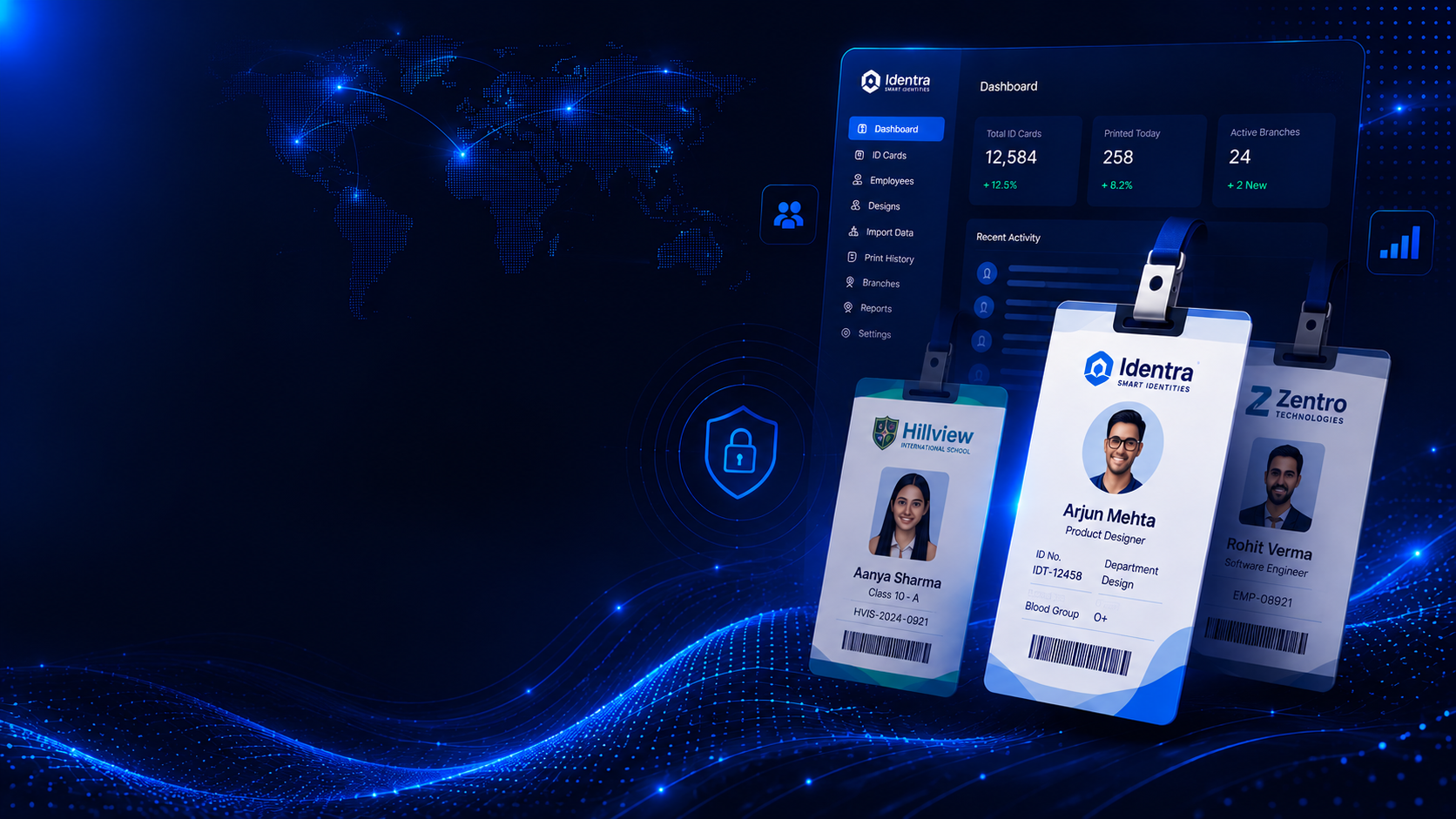
New: AI Face Attendance + GPS Punching Mobile App is coming to Identra Pro. Explore the Feature
Identity + AI Attendance in One Platform

Know Who Is Working.
Verify Every Punch.

Create professional ID cards and manage attendance from one secure workspace.

Staff can punch in and out from the Identra Pro mobile app using a live photo, AI face verification and GPS location. Admins get real-time attendance, leave records, monthly reports and multi-branch control.

AI Face Match & Anti-Proxy Punch
GPS Geofence & WFH Rules
Android & iOS Mobile App
ID Cards, Leave & Excel Reports

No biometric machine required for mobile attendance. Start with ID cards today and enable Pro Attendance as your team grows.

Trusted by scaling organizations

Acme Corp.

GlobalEdu

NexusTech

ApexHospitals

ZenithSystems

New Pro Attendance

Stop buddy punching.
Verify the person and place.

Identra Pro combines a live camera capture, enrolled-face comparison and GPS rules before attendance is accepted. Every punch creates a clearer, auditable record for HR and management.

AI Face Verification

Matches the live punch photo with the employee’s approved enrollment.

Location & Geofence Rules

Allow office, branch, site or approved work-from-home attendance.

Real-Time Punch Status

See who is present, absent, late, working or already punched out.

Leave & Missed Punch Requests

Staff can submit requests while managers review and approve them.

Monthly Excel Reports

Export attendance data for payroll, audit and performance review.

Identity Check

Live Face Match

Reject a punch when the live person does not match the approved employee face.

Location Check

Smart Geofencing

Configure office coordinates and individual WFH permissions from the admin panel.

Management

Attendance Insights

Present, absent, half day, overtime and less-hours summaries in one view.

Payroll Ready

Excel Export

Download month-wise attendance and use it in payroll or internal reporting.

Identra Pro Mobile

Attendance goes wherever your team works.

A Flutter mobile app for Android and iOS gives every employee a secure attendance companion—without installing expensive biometric hardware at every branch.

Punch In / Punch Out
Live Camera Verification
Current GPS Location
Leave Management
Attendance History
Instant Notifications

Built for

Android

Designed for

iOS

IDENTRA PRO

Attendance

TODAY

09:12 AM

Punched in • Head Office

PRESENT

22

LEAVE

02

Face verified

Identity check passed

GPS approved

Within office radius

A Better Workflow

One Workflow for Identity & Attendance

Set up your organization once, onboard your people, and manage IDs plus verified attendance from the same secure workspace.

1

Import & Onboard Your Team

Import employees or students with Excel, assign branches and roles, and enroll approved face profiles when AI attendance is enabled.

2

Create Identity & Attendance Rules

Design professional ID cards, configure office geofences, choose WFH eligibility and define manager approval workflows.

3

Run from Web & Mobile

Print cards from the web dashboard while employees use the mobile app for secure face-and-location verified attendance.

Enterprise Features

Everything for identity,
attendance and workforce control.

New Pro Feature

AI Face & GPS Attendance

Verify the employee, confirm the approved location and stop proxy attendance using the Identra Pro mobile app.

Live photo checkGeofenceWFH rulesExcel export

Android & iOS App

Employees punch, view history, manage Face ID and submit leave requests directly from mobile.

Multi-Branch Architecture

Effortlessly manage an entire network of corporate offices, campuses, or hospital wings from a single admin dashboard.

Complete Centralized Control
Smart filtering & search per branch

Intelligent Batch Printing

Stop printing one by one. Export up to 1000 optimized A4 pages in under seconds, perfectly aligned for duplex printing.

4-up optimized card layout
Zero browser crashes

Smart Vector Codes

Every single ID automatically embeds a crisp, razor-sharp SVG QR or Barcode tied directly to the unique record data.

Natively generated inside platform
Perfect for office attendance & gates

Visual Theme Builder

Ditch Photoshop. Upload backgrounds, drag elements, set dynamic text constraints, and lock custom layouts exclusively for specific branches or roles.

Explore Studio

Smart Excel Data Sync

Stop typing manual entries. Upload your Excel or CSV sheets to import and map thousands of employee or student records instantly into separate role-based lists.

Transparent Pricing

Start for free,
upgrade when you scale.

Begin with smart ID cards. Choose a Pro Attendance plan when you need mobile punching, AI face verification, GPS rules and attendance reports.

Free Trial

Basic Forever

$0

Manage up to 1 branches and 5 IDs.

  • 1 Workspace / Branch
  • Up to 5 Member Records
  • Up to 5 Staff Records
  • Standard ID Card Themes
  • Single ID Print & Download
  • Watermarked PDF Export
  • QR Code & Barcode Support
  • Community Support
Start Free Trial
Standard

Starter Plan

$19 /mo

Manage up to 1 branches and 10 IDs.

  • Up to 1 Branches / Locations
  • Up to 10 Member Records
  • Up to 10 Staff Records
  • Android & iOS Mobile Attendance
  • Live Photo During Punch
  • Attendance History & Leave Requests
  • Monthly Excel Export
  • Excel & CSV Data Import
  • Custom ID Theme Designer
  • QR Codes & Barcodes
Get Started
Most Popular
Premium

Pro Plan

$49 /mo

Manage up to 2 branches and 50 IDs.

  • Up to 2 Branches / Locations
  • Up to 50 Member Records
  • Up to 50 Staff Records
  • Everything in Starter
  • AI Face Verification
  • Anti-Proxy Attendance
  • GPS & Geofence Verification
  • Real-Time Attendance Monitoring
  • Leave & Overtime Reports
  • Priority Chat Support
Get Started
Standard

Business Plan

$99 /mo

Manage up to 5 branches and 150 IDs.

  • Up to 5 Branches / Locations
  • Up to 150 Member Records
  • Up to 150 Staff Records
  • Everything in Pro
  • Advanced Attendance Reports
  • API Access
  • Priority Chat Support
Get Started
Standard

Enterprise Plan

$199 /mo

Manage up to 10 branches and 300 IDs.

  • 10 Branches / Locations
  • 300 Member & Staff Records
  • Everything in Business
  • Advanced AI Face Verification
  • Multiple Office Geofences
  • White-Labeled Web Workspace
  • White-Labeled Mobile App
  • Custom Domain & Branding
  • API & Webhook Access
  • RFID
  • QR & Biometric Integration
  • HRMS & Payroll Integration
  • 24/7 Dedicated Account Manager
Get Started
Clear Your Doubts

Frequently
Asked Questions

Answers about AI face attendance, GPS punching, the mobile app and your existing ID card workflows.

Each attendance request can include a fresh camera capture that is checked against the employee’s approved face enrollment.

  • Live Capture: The employee captures a new photo during punch-in or punch-out.
  • Face Comparison: The system compares the live image with the approved enrollment record.
  • Mismatch Rejection: A different person can be rejected instead of being marked present.
  • Manager Approval: Initial face enrollment can be reviewed before activation.
  • Audit Trail: Punch status and enrollment decisions remain available for review.

Yes. Identra Pro Attendance is designed as a Flutter application for Android and iOS with the same Laravel API backend.

  • Single Employee App: Punch, Face ID, history and leave in one place.
  • Front Camera Capture: A guided flow for attendance verification.
  • GPS Location: Current coordinates can be checked before accepting a punch.
  • Notifications: Employees can receive punch and request updates.
  • Secure Sessions: Authenticated API access keeps employee data protected.

Yes. Work-from-home eligibility can be configured per employee instead of applying one rule to the entire company.

  • Per-Employee WFH: Enable WFH only for selected staff.
  • Office Geofences: Other staff can be restricted to approved branches or sites.
  • Multiple Locations: Configure headquarters, branches, factories or client sites.
  • Manager Controls: Review exceptions and attendance requests.
  • Clear Reporting: Keep office and WFH attendance visible in the same dashboard.

Yes. ID card generation remains a core product and Pro Attendance can be enabled when your organization is ready.

  • Excel Import: Add staff or student records in bulk.
  • Template Builder: Create branded front and back card layouts.
  • Bulk PDF: Export print-ready A4 sheets.
  • QR & Barcode: Generate unique machine-readable identity codes.
  • Upgrade Path: Add mobile attendance without rebuilding your employee database.

The attendance module is designed to provide month-wise records that can be used by HR, payroll and management teams.

  • Monthly Excel: Export attendance for the selected month.
  • Punch Times: Include punch-in and punch-out records.
  • Attendance Summary: Present, absent, half-day, overtime and less-hours visibility.
  • Leave Records: Keep employee requests and approval status available.
  • Multi-Branch Filters: Review teams by company location or branch.
Talk to our Identity Experts

We're here to help you scale.

Have a question about enterprise pricing, API integrations, or need a technical demo? Reach out directly to our team.

Email Our Team

For enterprise queries & API integrations.

info@identra.online

Direct WhatsApp

Priority chat support. Available Mon-Fri.

Start a Conversation

Request a callback

Drop your details below and an Identra specialist will get back to you within 24 hours.

Don't waste another minute

Ready to modernize identity
and attendance?

Start with professional ID cards today, then add AI face verification, GPS attendance and a mobile app as your organization grows.