Key takeaways
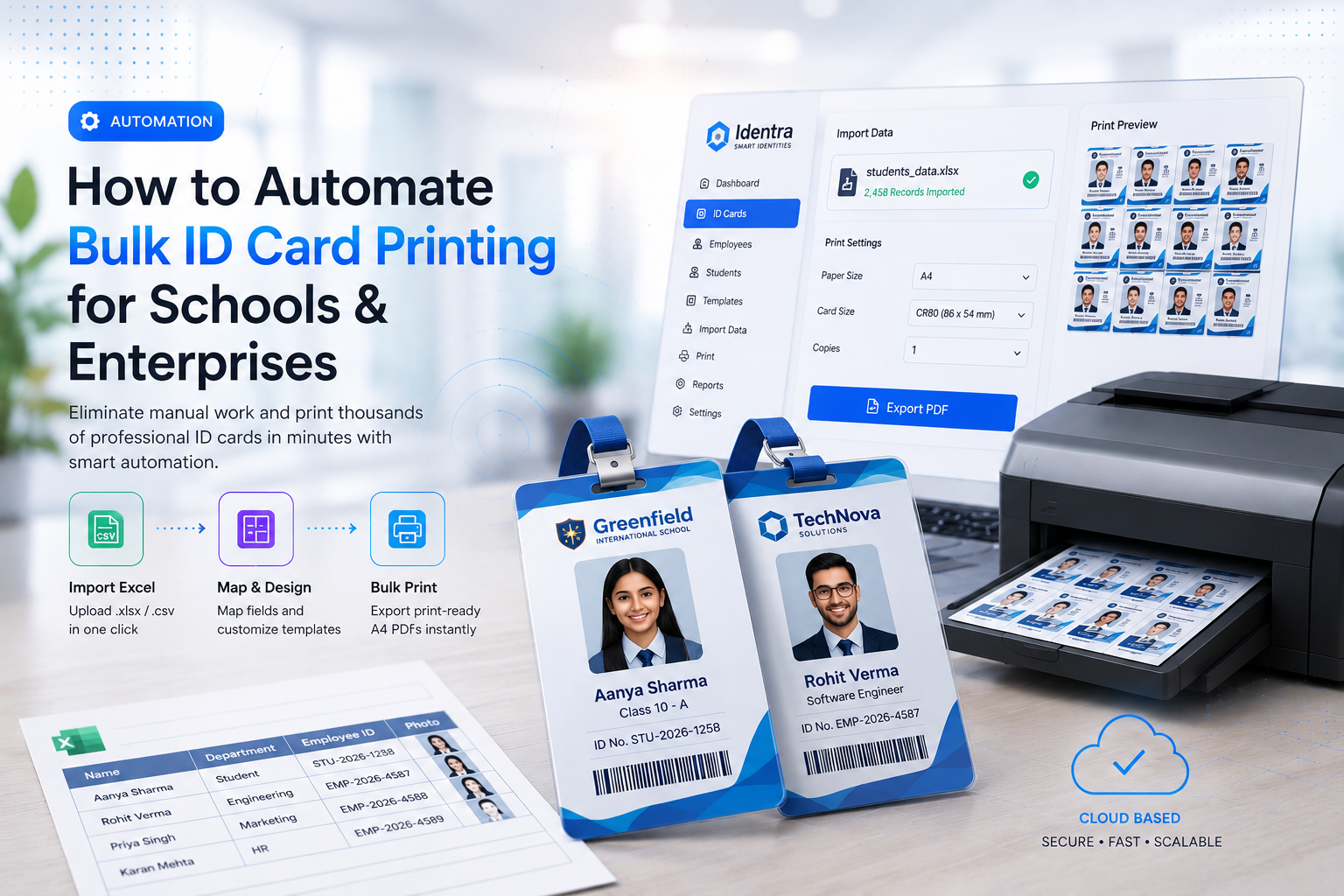
- Manual ID card creation creates unnecessary administrative delays and data-entry errors.
- Excel and CSV import can turn existing records into print-ready ID cards without retyping.
- A reusable template and bulk PDF workflow makes onboarding and reprinting faster.
Automate Bulk ID Cards & AI Face Attendance
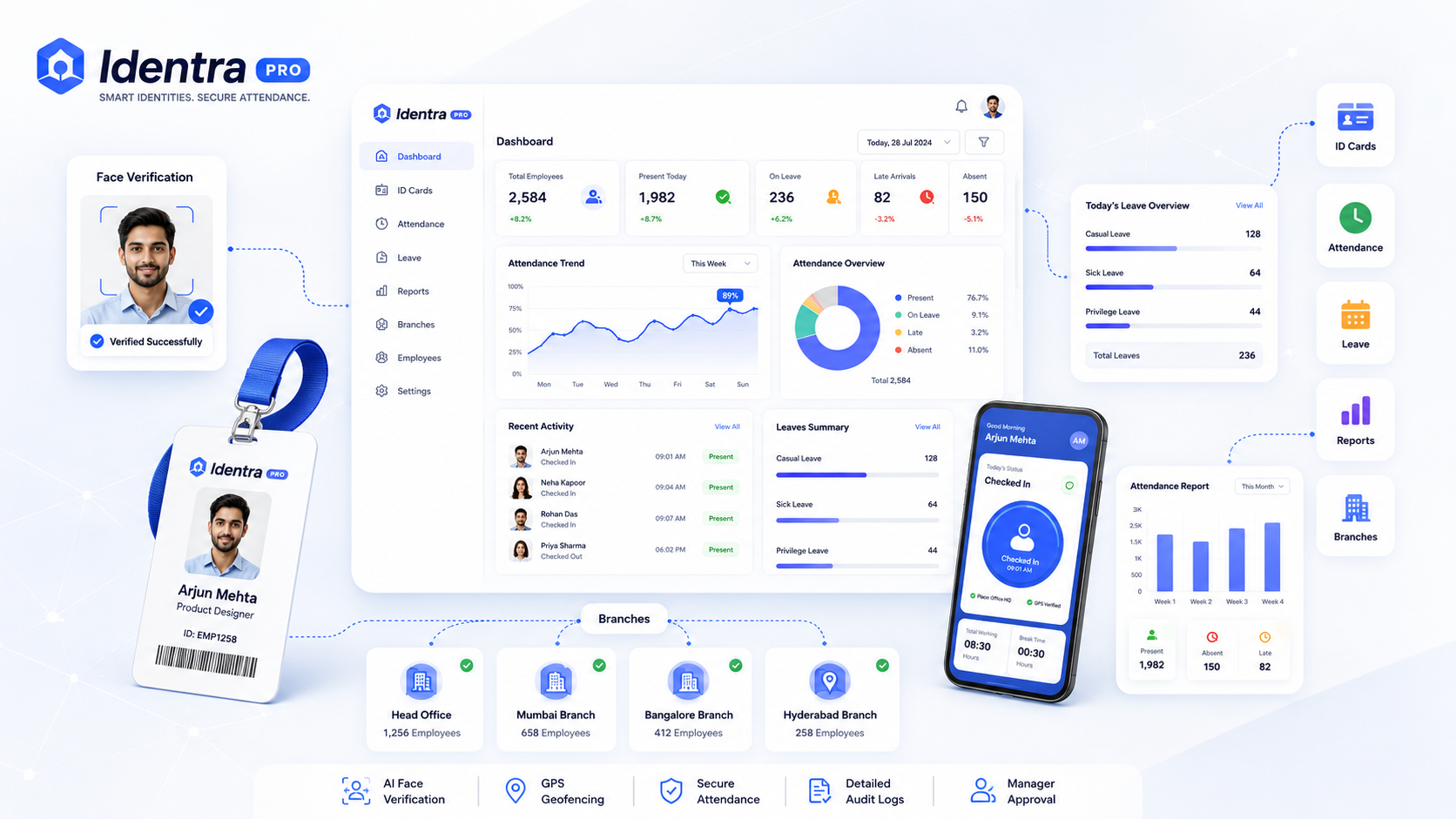
Generate print-ready ID cards, verify employee punch-in via AI Face ID + GPS geofencing, and manage leave records in one workspace.
HR teams, schools, colleges, agencies, and enterprise administrators often manage hundreds or thousands of identity records. Creating every ID card manually consumes time and increases the risk of spelling mistakes, incorrect photos, and inconsistent layouts.
Problems with Manual ID Card Printing
- Repeated Data Entry: Names and details are copied manually from spreadsheets.
- Design Inconsistency: Every card may have different spacing or alignment.
- Slow Reprinting: Updating one employee card requires reopening design files.
- Branch Confusion: Separate teams may maintain separate data and templates.
- Print Alignment: Cards may not align correctly on A4 sheets.
The Automated Workflow
Step 1: Import Data from Excel or CSV
Upload existing employee or student records instead of typing them again. The system maps columns such as name, employee ID, department, blood group, branch, and contact information.
Step 2: Select or Design an ID Card Template
Create a branded card layout and connect imported fields to text, photos, QR codes, and barcodes.
Step 3: Generate and Review Cards
The platform automatically renders every card using the selected template. Administrators can review the cards before printing.
Step 4: Export Bulk Print-Ready PDFs
Generate aligned A4 PDF sheets for bulk printing instead of downloading every card individually.
Benefits of a Cloud-Based Platform
- Access data from authorized devices
- Manage multiple branches in one workspace
- Reuse approved templates
- Generate QR codes and barcodes automatically
- Keep student and staff records organized
Identra Pro Identity Automation
Identra Pro combines Excel import, ID card templates, QR and barcode generation, bulk PDF printing, multi-branch management, and AI attendance in one platform.
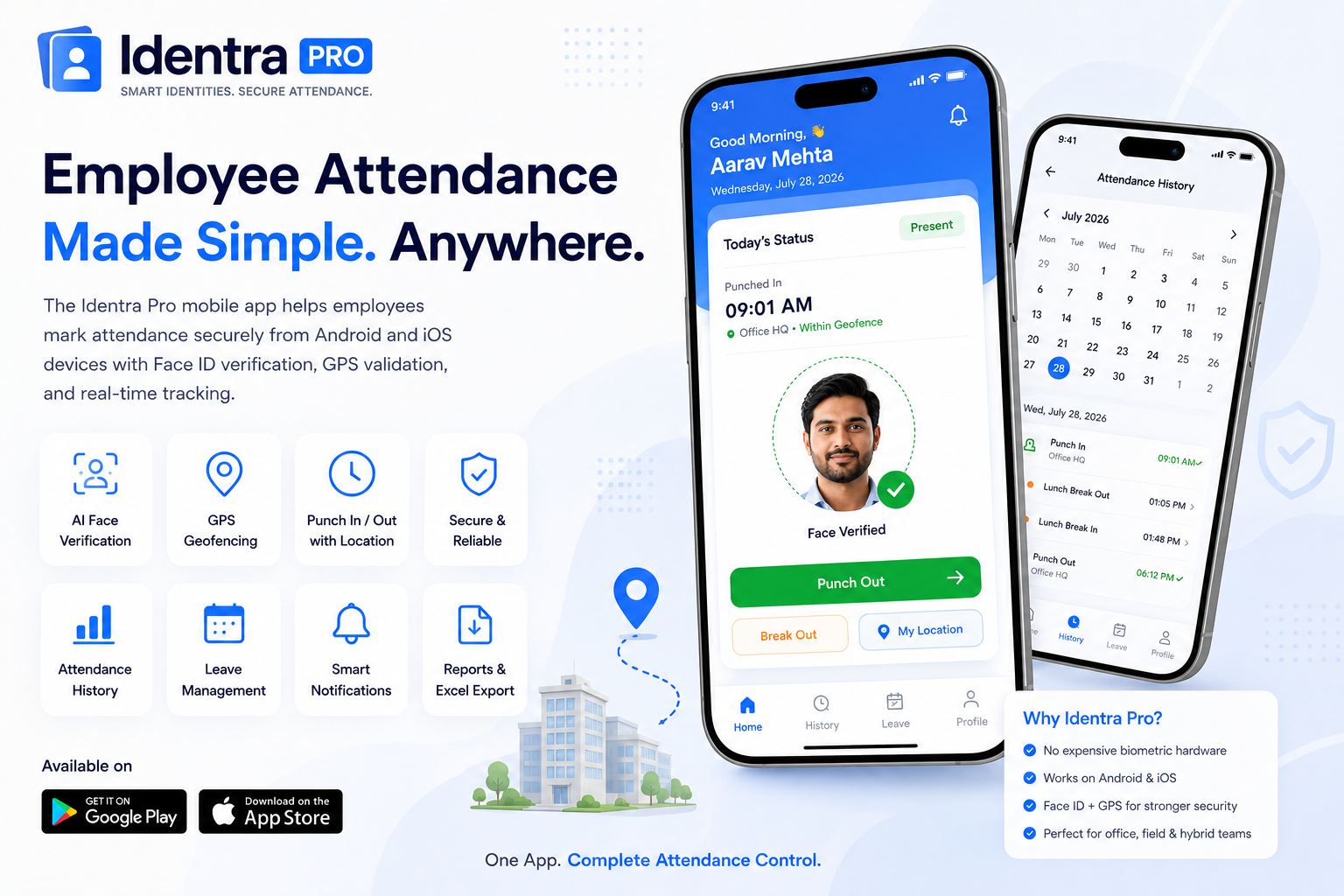
Zero Hardware, 100% Verified Attendance
No expensive biometric machines needed. Employees punch in with live selfie capture, GPS geofencing, leave tracking, and instant manager alerts.
Stop proxy attendance and automate your workforce.
Create smart ID cards, verify every punch with AI Face ID and GPS, manage leave, reports and multiple branches from one secure workspace.