Key takeaways
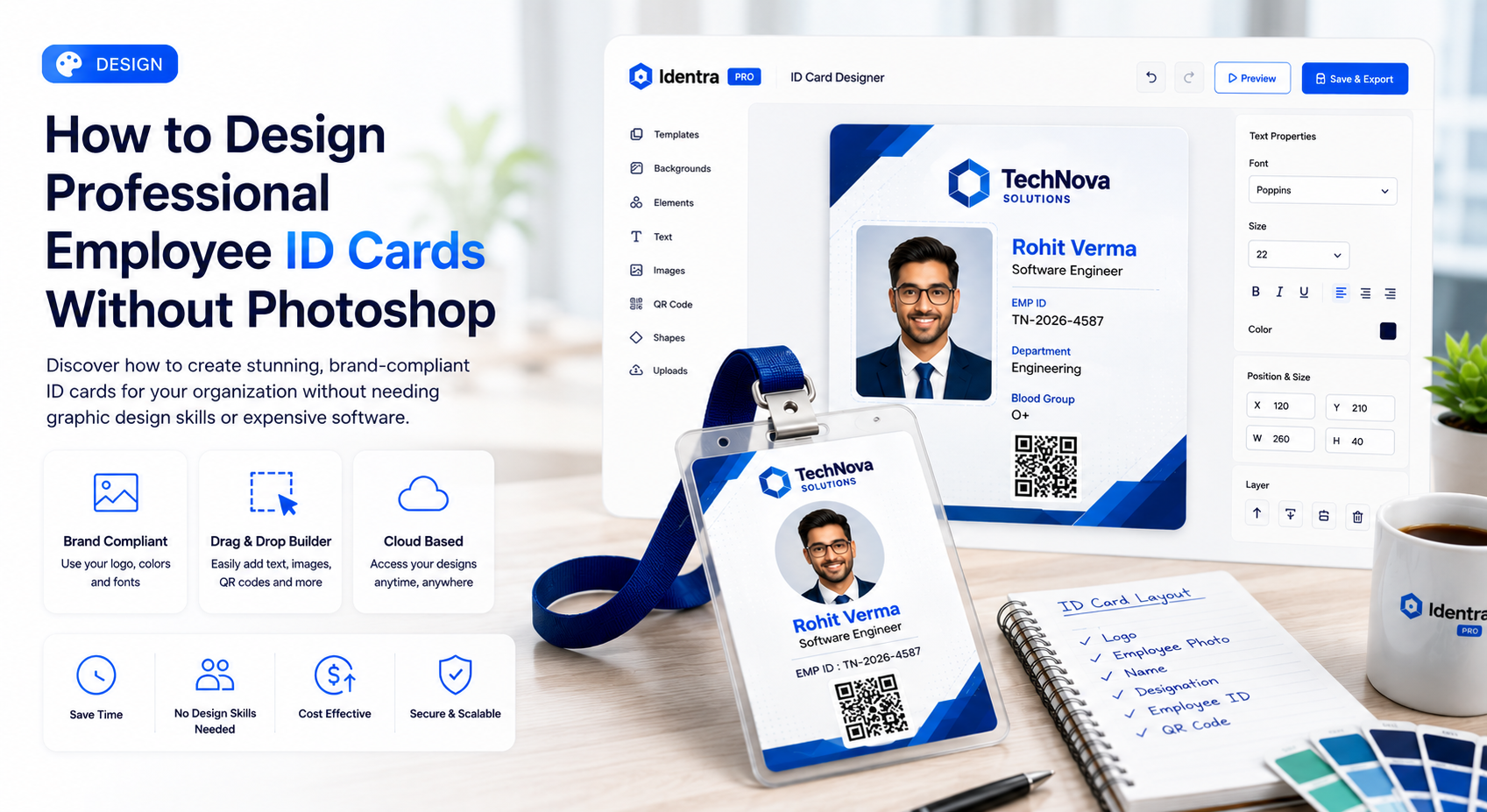
- Photoshop is useful for graphic design but inefficient for frequently changing identity records.
- A reusable base template keeps branding consistent across every ID card.
- Dynamic fields automatically place employee or student data in the correct position.
Automate Bulk ID Cards & AI Face Attendance
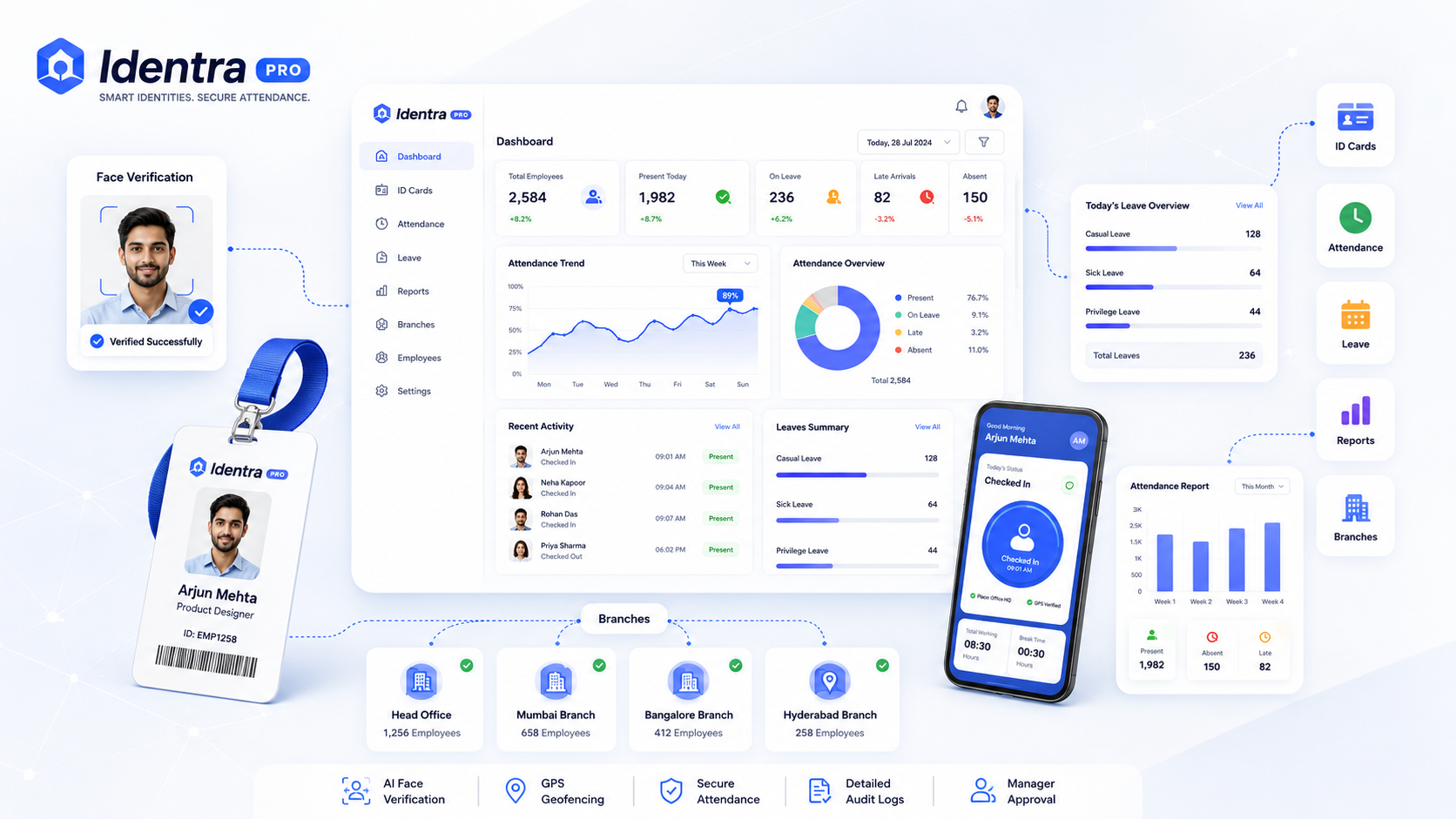
Generate print-ready ID cards, verify employee punch-in via AI Face ID + GPS geofencing, and manage leave records in one workspace.
Professional ID cards should be visually consistent, easy to read, difficult to misuse, and simple to reproduce when a student or employee record changes.
Why Photoshop Is Not Ideal for Daily ID Operations
Photoshop can create excellent designs, but it is not built for managing hundreds or thousands of changing identity records.
- Every new employee requires manual text replacement
- Photos must be resized individually
- Alignment can change between cards
- Bulk printing requires extra preparation
- Non-design staff may struggle to make updates
Step 1: Create a Branded Base Template
Prepare a background that includes the company or institution logo, brand colors, card shape, and static labels.
Step 2: Add Dynamic Fields
Place fields such as employee name, employee ID, department, designation, blood group, phone number, and joining date.
Step 3: Add Smart Identity Elements
- Profile photo
- QR code
- Barcode
- Signature
- Branch name
- Validity date
Step 4: Test Long and Short Data
Test the template with long names, long department titles, different photo dimensions, and missing optional values.
Step 5: Generate Cards in Bulk
After the template is approved, import data and generate all cards automatically instead of editing each one manually.
Identra Pro Template Studio
Identra Pro allows organizations to create reusable ID card layouts, map imported data, add QR codes and barcodes, and export print-ready cards without repeating design work.
Zero Hardware, 100% Verified Attendance
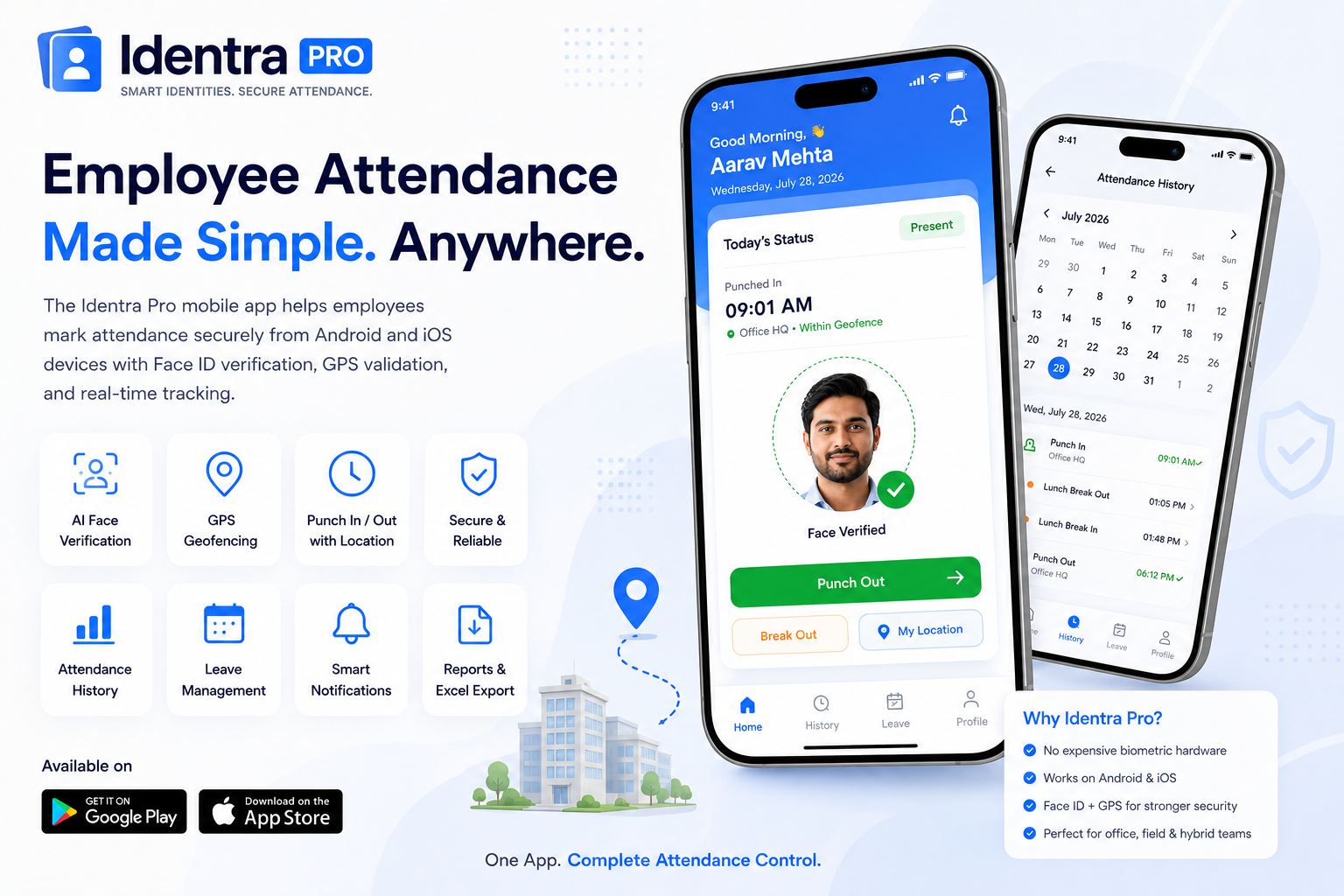
No expensive biometric machines needed. Employees punch in with live selfie capture, GPS geofencing, leave tracking, and instant manager alerts.
Stop proxy attendance and automate your workforce.
Create smart ID cards, verify every punch with AI Face ID and GPS, manage leave, reports and multiple branches from one secure workspace.